
Planning a getaway? Don’t let a data breach ruin your break. To help holidaymakers stay safe online while travelling, APH has released a list of 10 essential cybersecurity tips for travellers.
The guide offers practical advice to keep your devices and your personal information secure, whether you’re at the airport, relaxing at your hotel, or exploring abroad.
From pre-travel prep like setting strong passwords and updating antivirus protection, to on-the-go advice such as turning off auto-connect for Wi-Fi and Bluetooth, the tips are designed to help you stay one step ahead of cyber threats while abroad.
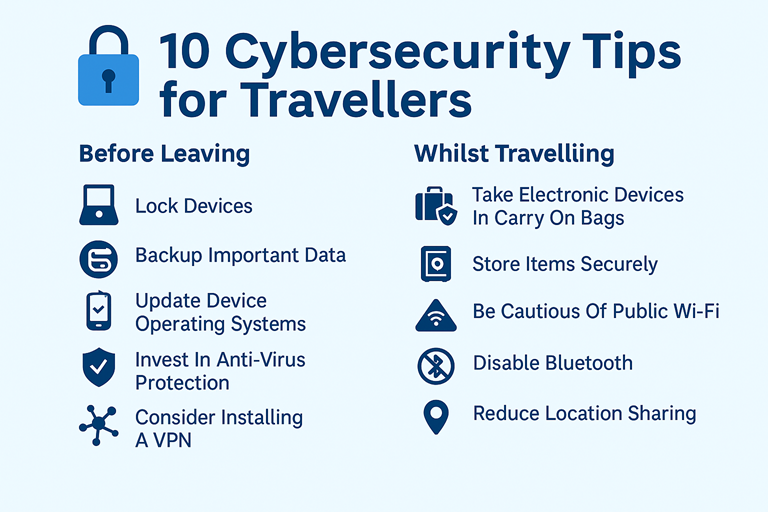
Before Leaving:
- Lock Devices
All phones, laptops and tablets have settings that allow users to lock the device using a PIN number or password, fingerprint ID or facial recognition. Ensuring a strong password is set up before travelling will be the first line of defence against information begin accessed if the device is lost or stolen and travellers should also consider using two-factor authentication for extra security.
- Backup Important Data
In our technology driven times, phones and laptops carry everyone’s most important information such as daily to-do lists and contacts and even special photo memories. Taking proactive steps to backup important data before travelling will provide savvy travellers with a sense of relief if devices break or go missing.
- Update Device Operating Systems
We’re all guilty of hitting the ‘remind me later’ option when a device update pops up on our screens, but holiday-goers should think twice before doing this when preparing to go abroad. Travellers are more likely to take necessary security risks such as connecting to public Wi-Fi so keeping device operating systems up to date while travelling will reduce the risk of viruses.
- Invest In Anti-Virus Protection
Perhaps the easiest and most effective way of keeping personal data secure is installing anti-virus software on devices. Travellers should use a trusted security band such as Norton or McAfee and should make a point of ensuring it is always up to date.
- Consider installing a Virtual Private Network (VPN)
When abroad, tourists often have no choice but to rely on public networks to access the internet which means the data generated from using these networks could potentially be seen and stolen, making a VPN a travel must have! VPNs encrypt data so it is impossible for third parties to track users’ online presence. VPNs also allow travellers to bypass geo-blocks making them essential for keeping up to date with TV shows back home (when allowed to do so)!
Whilst Travelling:
- Take Electronic Devices In Carry On Bags
It’s easier to keep any eye on your devices when they’re in sight so for peace of mind travellers should consider carrying their tech in their hand luggage whilst flying. But make sure it’s turned off, closed and well protected in a case.
- Store Items Securely
Perhaps a given but storing items securely in hotel rooms, ideally in a safe, is essential for ensuring devices are kept away from potential pickpockets.
- Be Cautious of Public Wi-Fi
Whilst free Wi-Fi access can be appealing for travellers, it is also vulnerable to security issues. Travellers should take extra caution when using free Wi-Fi hotspots and avoid accessing personal accounts or sensitive data whilst connected. Holiday-goes are also encouraged to disable the auto-connect function of their devices which allows phones and laptops to automatically connect to Wi-Fi networks as they are passed through.
- Disable Bluetooth
Bluetooth is a great way of connecting devices and sharing data but it can also be used by hackers attempting to access devices without their owner’s knowledge. Bluetooth connections can be turned on and off according to when they are being used which is great for travelling and maintaining data privacy. It’s a good idea for extending battery life.
- Reduce Location Sharing
Finally, whilst it’s tempting to tag the location on all holiday snaps posted on social media, it can create security threats. Signalling locations can make it easy for thieves to determine that homes and hotels rooms are empty, potentially putting personal belongings at risk. Travellers who want to share their holiday location can always consider holding off posting pictures until they have returned from travelling.
FAQs
Start by locking all devices using a strong password, fingerprint, or facial recognition. Enable two-factor authentication where possible. Make sure to back up your important data, update your operating systems, and install trusted antivirus software like Norton or McAfee.
Yes. A Virtual Private Network (VPN) is essential when connecting to public Wi-Fi. It encrypts your internet activity, protecting your personal information from hackers, and can also help you bypass geo-restrictions on content (where permitted).
Public Wi-Fi is convenient but not always secure. Avoid logging into sensitive accounts or conducting transactions. Disable auto-connect features and consider using a VPN for added protection when using open networks.
Always carry your electronic devices in your hand luggage, not checked bags, and store them in a hotel safe when not in use. Keep devices powered down and protected in padded cases during travel.
Avoid posting real-time location updates, as this can alert criminals that your home or hotel room is unattended. It’s safer to share your holiday highlights after you return home.