
Flying from Gatwick Airport? Make sure you’re up to date with the latest security rules for electronic devices, chargers, e-cigarettes, and the use of full-body scanners. Nothing spoils a trip faster than having your phone or laptop confiscated at the gate or being denied boarding because of an unexpected regulation. In this guide, we’ll cover everything you need to know, in a clear, APH Community style, to keep your gadgets powered and yourself prepared for security.
Electronic Devices in Hand Luggage: Keep Them Charged or Risk Confiscation
When it comes to phones, tablets, laptops and other electronics, UK airport security requires your devices to be charged and able to power on if asked. If a security officer or boarding gate staff member asks you to switch on a device and it does not turn on, you will not be allowed to take it onto the aircraft. In practice, this means a dead battery could lead to your expensive phone or tablet being confiscated and even you being denied boarding. While not every passenger is asked to prove devices work, checks are done at random or if there’s a specific concern. This rule has been around since mid-2014, but many travellers are still caught out by it even today. The UK Department for Transport explicitly advises: “Make sure your electronic devices are charged before you travel. If your device does not switch on when requested, you will not be allowed to take it onto the aircraft”.
What devices are allowed? The good news is that virtually all personal electronics are allowed in your hand luggage, phones, cameras, tablets, laptops, electric shavers, hairdryers, etc., can go in both cabin and hold baggage. (One exception: e-cigarettes/vapes must go in carry-on only, more on that below.) Gatwick Airport has also introduced new high-tech CT scanners in security, meaning you typically no longer need to remove laptops or tablets from your bag for screening. This speeds up the process, but it doesn’t change the rule that devices need to have power. So before you head to the airport, fully charge your essential gadgets and avoid that last-minute panic at security or the gate.
Portable Phone Chargers (Power Banks): How and Where to Pack Them
Bringing a portable charger (power bank) for your phone or tablet is a smart move, but you need to know the rules. Power banks contain lithium batteries, so airlines and the UK Civil Aviation Authority require that they be carried in your hand luggage only, not in checked baggage. In fact, Gatwick Airport’s guidance states, “Lithium batteries should be carried in your hand luggage only”. Do not pack power banks in hold luggage. If security finds a lithium battery in a checked suitcase, your bag could be held back or offloaded. Always put your chargers and spare batteries in your carry-on before you head to the airport.
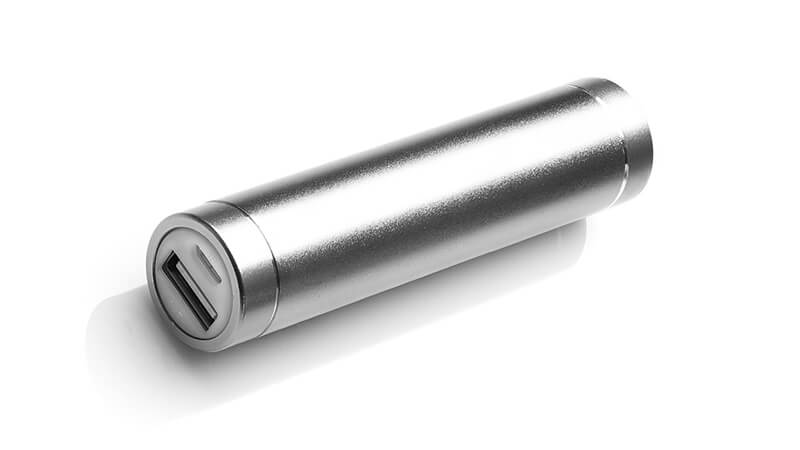
Also, leave some charge in your power pack. Just like phones or tablets, a power bank might need to be switched on to prove it’s safe. If asked, you must demonstrate it works, and since you can’t put it in the hold as a workaround, it needs to have power when you’re going through security. In short, don’t drain your power bank completely at the airport; keep a bit of juice in reserve for any security checks.
What size of power bank is allowed? Almost all standard USB power banks for phones are fine. International air safety rules allow rechargeable lithium batteries up to 100 Watt-hours (Wh) to be carried by passengers. For context, 100 Wh is a very high capacity; a typical smartphone battery is only around 10–15 Wh. So your portable phone chargers, which are usually well under this limit, are good to go in your hand luggage. If you happen to travel with an extra-large battery pack (for example, some laptop power banks or camera batteries can be 100–160 Wh), airlines generally limit you to at most two such batteries per person and ask you to get airline approval for anything above 100 Wh. When in doubt, check the Wh rating (it’s often printed on the battery or charger) and ask your airline if it’s over 100 Wh. And remember, any spare batteries must be individually protected (tape over the terminals or each in its own pouch) to prevent short-circuits, and it’s best to carry no more than two spares of any type.
Summary for power banks: Pack them in your cabin bag, not the hold. Ensure they have some charge. Most power banks are allowed, but very large ones might need permission. Following these rules will keep both you and your luggage safe and ensure your portable charger doesn’t get left on the tarmac.
E-Cigarettes and Vaping Devices: Carrying Them and Using Them (or Not)
If you vape or use an e-cigarette, it’s important to know the rules before you fly. E-cigarettes (including vape pens, e-cigs, e-pipes, etc.) are only allowed in your carry-on luggage; they are strictly forbidden in checked baggage. This is because e-cig devices typically contain lithium batteries and pose a fire risk if accidentally activated or damaged in the hold. So, pack your e-cigarette in your hand luggage (or keep it on your person), and never in a checked suitcase.

Can you use an e-cigarette on the plane or in the airport?
No. Vaping is completely banned on commercial flights in the UK, just like smoking traditional cigarettes. The UK Civil Aviation Authority prohibits the use of any electronic smoking device onboard; you cannot vape on the plane, and attempting to do so can lead to serious legal penalties (fines or worse). In fact, even charging your e-cig or vape device during the flight is not allowed to eliminate any overheating risk. All major airlines will include e-cigarettes in their no-smoking policy, so consider your vape as off-limits from the moment you board until you’re outside the destination airport.
What do you think about in the airport, before or after the flight? Inside UK airport terminals, e-cigarettes are treated the same as regular cigarettes. At Gatwick Airport, that means you cannot use e-cigarettes anywhere inside the terminal buildings, no vaping in the departure lounge, at the gate, or even in the toilets. The only place you can vape is in the designated smoking areas outside the terminals (before security). Gatwick’s North and South Terminals both have clearly marked smoking zones outside the entrances. Once you pass through security, there is no smoking or vaping area accessible to the general public. (One exception: the My Lounge in Gatwick’s South Terminal has an outdoor terrace where smoking is allowed for lounge guests. But unless you’ve booked that lounge, assume you won’t be able to vape after security.) Bottom line: take your last puff in the designated area outside, and don’t use your e-cig indoors at Gatwick.
Packing e-cigs and vape supplies:
- Device batteries: As noted, keep the e-cig device in hand luggage. If it’s a removable-battery device, any spare lithium batteries (e.g. spare 18650 cells) must also be in your carry-on. They should be individually wrapped or protected (tape over the contacts or each in a separate plastic bag), so they can’t short-circuit. Most airlines limit you to no more than two spare batteries for e-cigs or any other gadgets, which aligns with general battery safety regulations.
- E-liquids: Your e-liquid bottles and refills need to follow the usual liquids rule. That means each bottle must be 100 ml or less, and all bottles must fit into your single transparent liquids bag for security screening. Don’t forget to put your vape juice in that clear bag before you go through the scanner. If you leave it in your carry-on, security may confiscate it just like any other undeclared liquid. And of course, make sure the caps are on tight to prevent leaks at altitude.
By following these guidelines, you can carry your e-cigarettes and vaping kit without trouble. You’ll have them available for a puff once you’re outside or at your destination, and you’ll avoid any fines or fire hazards along the way.
Emergency Charging at Gatwick Airport: Options to Power Up
So, you’ve arrived at Gatwick, and one of your electronic devices is suddenly flat, nightmare! Perhaps you forgot to charge your phone, or that tablet died after streaming one too many shows. Remember, everything from smartphones to rechargeable shavers could need to be turned on at the gate. If they can’t power up when asked, they might be confiscated, and you could even be denied boarding. The good news is Gatwick Airport has you covered with plenty of ways to recharge your devices in a hurry:
- Free Charging Points: Gatwick Airport provides lots of free power charging points in both North and South terminals. You’ll find these plug sockets and USB outlets before and after security, often in seating areas or against walls. They’re marked out on the airport maps, or you can simply walk a bit through the departures area; you’re likely to spot people charging phones at these points. In addition, many restaurants and cafes at Gatwick have power outlets or USB ports at tables or bars for customer use. There’s nothing worse than hunting for a free wall socket while your flight is boarding, so Gatwick has tried to make it easy to top up your battery while you wait.
- ChargeBox Lockers: For a more secure charging option, keep an eye out for ChargeBox charging kiosks. Gatwick has offered ChargeBox lockers in the departure lounges, where you can safely lock up your phone to charge. Each locker comes with various charging leads (Lightning, USB-C, Micro USB, etc.) inside. You pop in your phone, plug it in, lock the compartment, and take the key, and then go grab a coffee or do some shopping while your device charges. You can typically charge for 30 to 90 minutes in a ChargeBox. Originally, this service cost around £1.50 for 30 minutes, but in recent years, Gatwick has made many of these charging stations free to use as part of improving passenger amenities. Whether free or paid, the lockers are a great way to boost your battery without needing to hover nearby. (Just don’t forget to retrieve your phone before you head to the gate!)
- Airline Assistance at the Gate: Several airlines have recognised that the charged device rule can catch flyers off-guard, and some stepped up with solutions. For example, British Airways and Virgin Atlantic have at times offered limited charging facilities at the gate for their passengers. This might include charging ports built into the gate seating or staff with adaptors for popular phone types. These services are not guaranteed and usually very limited, so consider them a last resort. If you’re flying with an airline that provides this, you’ll still need to arrive at the gate early to take advantage of it. Always ask the staff as soon as boarding begins if you desperately need a quick charge, but plan as if you won’t have this option. It’s safer to assume you need to charge up before boarding.
- Airport Lounges: If you really want to ensure a fully charged battery (and relax in style), consider booking an airport lounge. Gatwick has several pay-to-enter lounges (like No1 Lounge, Club Aspire, My Lounge, etc.), and all of them offer plenty of power outlets and USB charging points in a comfortable environment. You can typically enter a lounge up to three hours before your flight, which is plenty of time to top up your devices. Enjoy some free snacks and drinks while your phone charges in peace. Lounge access starts around £30-£40 per person if booked in advance (prices vary by lounge and offer), a worthwhile investment if being connected is critical for you. As a bonus, one lounge (My Lounge in South Terminal) even has that outdoor terrace for smokers/vapers we mentioned. If you have a long flight ahead and need your devices, lounges let you power up stress-free.
Tip: Always carry your own charging leads and plug adapters in your hand luggage. While Gatwick’s ChargeBox lockers have cables, the free power points might be just an outlet, and you’ll need your own USB cable or UK plug. If you’re coming from abroad, remember the UK uses Type G three-pin plugs, so bring a suitable adaptor for your charger or USB plug. Having the right cable/plug will let you use any charging opportunity that presents itself.
With these options, a low battery at Gatwick doesn’t have to spell disaster. Whether you plug in at a free station, lock your phone in a ChargeBox, or splurge on lounge comfort, you can get your device back in the green before you fly.
Saving Your Battery: Tips to Conserve Power Before Boarding
Of course, the best way to avoid the “dead device dilemma” is to stretch your battery life as much as possible. Here are some tried-and-tested battery conservation tips to use while you’re at the airport (or in flight), so that you’ll still have power when it counts:
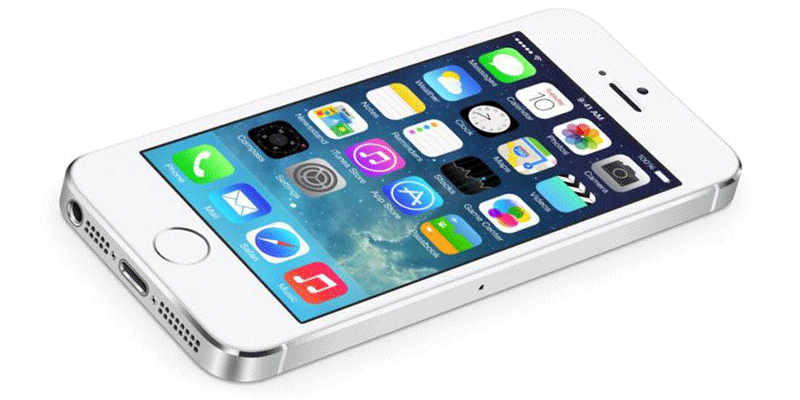
- Close background apps: Fully quit any apps you’re not using. Apps running in the background (social media, email, etc.) constantly check for updates and drain your battery quietly. On both iOS and Android, swipe up or use the task manager to shut them down before you embark on your journey.
- Disable unnecessary connections: Turn off Wi-Fi, mobile data, and Bluetooth if you’re not actively using them. Searching for networks or devices is power-hungry. If you’re already through security and just waiting to board, you can likely survive without internet or Bluetooth for a bit. Only enable them when you really need to use them.
- Turn off GPS/location services: Unless you truly need navigation at the airport, shut off GPS on your phone. Constant location polling (by map apps, ride-hailing apps, or even some social media) can sap battery. In an airport, you probably know where you are, as one witty commenter put it, looking out the window and seeing a giant jet is a pretty good clue you’re at the airport! Every bit of power saved by disabling GPS will help.
- Silence vibrations and haptics: Switch your phone to silent or low power mode that disables vibration for calls and notifications. Vibration uses a tiny motor and surprisingly uses more power than a simple ringtone. Also, turn off haptic feedback (that subtle buzz when you tap keys or icons). It’s a nice feature, but not one you need when trying to conserve charge.
- Dim your screen: The display is one of the biggest battery eaters on any device. Lower your screen brightness to the minimum level you’re comfortable with. Even dropping it to 50% brightness can significantly extend battery life. And if your phone has an OLED screen, using dark mode can help save energy too. While you’re at it, consider setting a shorter screen timeout so it turns off quickly when idle. Every minute of an unneeded bright screen is wasted power. (Don’t forget to also turn off any fancy visual effects or live wallpapers, static backgrounds, and dark themes are battery-friendly.)
- Use Aeroplane Mode when possible: If you really need to conserve power and don’t need to be reachable, flip on Aeroplane Mode ahead of your flight. This turns off all wireless radios (cellular, Wi-Fi, Bluetooth) in one go, preventing your phone from searching for signals. Even if you plan to use Wi-Fi on board later, you can keep aeroplane mode on while in the terminal and just enable Wi-Fi manually as needed. Going offline for an hour or two is a small price to pay if it means your device will still have charge later. (Plus, once you’re actually on the plane, you’ll be required to use aeroplane mode anyway.)
- Leverage battery-saver modes: Most modern smartphones have built-in battery saver or low power modes. Enable these modes in your settings; they automatically reduce background activity, slow down high-drain processes, and can throttle performance slightly to extend battery life. It’s an easy one-tap way to have the phone do the power-optimising for you.
By applying these tips, you can squeeze extra life out of your devices when it matters most. For example, dimming the screen and shutting off haptic feedback alone can give you precious extra minutes (or even hours) of usage. And if you combine all the above, you’ll significantly reduce power consumption, which could be the difference between a device that makes it through the flight and one that dies when you need your boarding pass or entertainment.
(Pro tip: If your phone is on its last legs and you must have it for boarding, consider powering it fully off while waiting, then turning it on only when necessary. A powered-down device obviously won’t lose any charge in the meantime.)
Full Body Scanners at Gatwick: What to Expect and Your Rights
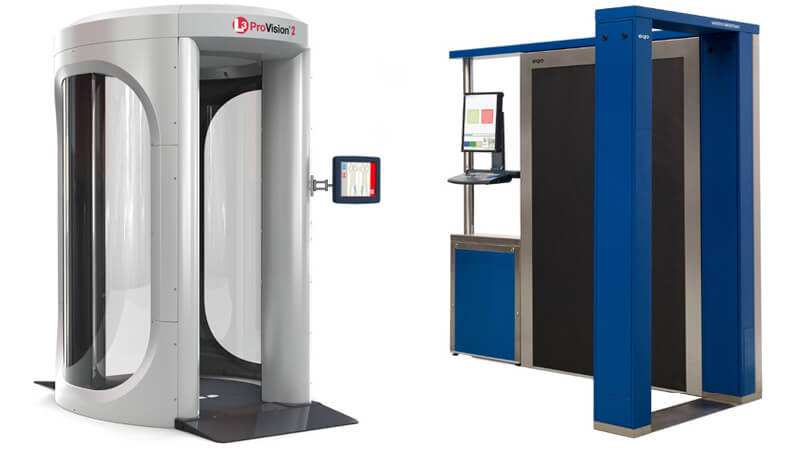
Going through security these days often means encountering the full-body scanner. Gatwick Airport, like most major UK airports, uses modern millimetre-wave scanners for random passenger screening. Being asked to step into one can be a bit daunting if you haven’t experienced it, but knowledge is power. Here are the key things to know about Gatwick’s body scanners, addressed in a Q&A format:
Are full-body scanners safe?, Yes. Gatwick’s scanners use millimetre-wave imaging technology, not X-rays, so there’s no ionising radiation. According to UK government research, the exposure from a scan is far less than using a mobile phone or even standing out in the sun briefly. They’ve been deemed safe for all passengers, including pregnant women, children, and people with medical implants like pacemakers. In short, the health risk is effectively nonexistent, and you don’t need to worry about a one-off scan at the airport.
Will everyone have to go through a body scanner?, No, not everyone. The usual process at Gatwick is still to walk through the metal detector (the gate/archway) first. Only some passengers are selected for the full-body scanner, and Gatwick uses a random selection process for this. You might be pulled aside after the metal detector alarm, or even if it doesn’t alarm, some people are picked purely at random as an additional security measure. The selection criteria aren’t made public (for security reasons), but authorities confirm that selection is not based on ethnicity, nationality, age, gender, or destination. It’s meant to be unpredictable, so anyone could be chosen on a given day, but most travellers will not be scanned every time.
What is the scanning process like?, If you’re selected, a security officer will direct you into the scanning machine, which is a bit like a round telephone booth. You’ll be asked to stand in a particular position (often feet apart and arms raised overhead or in front) as instructed by a diagram or the officer. The scan itself is very quick, a few seconds, and you might be asked to turn around for a second scan from another angle, but the whole process is over in under a minute. You won’t feel anything; the machine silently scans for any suspicious objects on your person. Once done, you step out and wait a moment for the operator to get the result. It’s painless and over faster than you’d imagine.
Will I appear naked in the scanner image?, No. Modern scanners at Gatwick use Automatic Threat Recognition software that processes your scan. No human sees an anatomically detailed image of your body. Instead, if the scanner detects something, it will display a stylised “gingerbread man” outline on a screen, with markers showing where any anomalies or objects might be. That generic outline is all the operator sees. They do not see you nude, and nothing about your body is revealed; only potential threat items are highlighted. This system protects your privacy. Older-generation scanners (with sketchy “nude” images) are no longer in use in the UK. Additionally, the raw scan data is immediately processed and not saved: the machine does not store, print, or transmit any real images of you. So you can be assured that your scan isn’t being viewed by off-site people or saved to some database. Once you’re cleared, the data is gone.
Are children exempt from body scanners?, No, children can be selected too. There is no automatic exemption for minors; under-18s may also be asked to go through the scanner if chosen at random. In practice, it might be a bit rarer, but parents should be aware that kids might need to be briefly scanned (with parents present, watching, of course). The scanners are safe for children, as noted above. If you have a reluctant toddler, security staff are generally patient and will help guide them (or may opt for a pat-down if the child won’t stand still). But legally and procedurally, children are not exempt.
Can I refuse to be scanned?, Yes, you have the right to opt out of a body scan, but there are important conditions. The UK government’s policy is that if you decline the scanner, you must undergo an “alternative screening method”, which involves, at a minimum, an enhanced hand-search (pat-down) in private. In other words, you can say “I’d rather not go through the scanner,” and security will then escort you to a private room where an officer of your gender will perform a thorough physical search. This pat-down will be more intensive than the normal quick frisk; it may involve loosening or removing some clothing (for example, they might ask you to remove a belt or feel around sensitive areas). If you agree to the private search, you’ll be cleared afterwards if nothing is found. However, if you refuse both the scan and the alternative private search, you will not be allowed to proceed into the secure area or onto your flight. Essentially, declining the scanner means you must accept the pat-down, or else you’re not flying that day. Gatwick’s security staff follow this rule strictly; it’s for everyone’s safety. So yes, you can opt out of the machine on privacy or medical grounds, but know that you’re trading it for a different screening, not escaping screening entirely.
To summarise, Gatwick’s full-body scanners are safe, quick, and designed with privacy in mind. If you’re selected, it shouldn’t be a major hassle; just follow the instructions and you’ll be on your way. And while you can choose an alternative if you’re uncomfortable, it’s usually easier for most passengers to spend 5 seconds in the scanner than 5 minutes in a private search. Now you know what to expect, the prospect of a body scan should be a little less intimidating.
Final Thoughts: Navigating airport security can be stressful, but a little preparation goes a long way. Make sure your devices are charged and packed correctly, know the rules for items like e-cigarettes and batteries, and take advantage of charging facilities to avoid any last-minute panics. Gatwick Airport and the UK authorities have updated many policies (from modern scanners to free device charging zones) to make travel smoother and safer for everyone. By following the guidance above and keeping an eye on your battery level, you can fly through Gatwick’s security checks with ease, without losing your phone or your cool. Safe travels, and stay charged!
FAQs
Yes, but only in your hand luggage. Power banks contain lithium batteries, which are banned from checked bags. Make sure the charger has some power in it, as you may be asked to switch it on at security.
Potentially, yes. Security staff may ask you to power up devices at the gate or scanner. If your device does not switch on, it can be confiscated, and you may not be allowed to fly.
No. Vaping and smoking are banned on all commercial flights and inside the airport terminals. At Gatwick, the only permitted areas are designated outdoor smoking zones before security.
You can recharge at free power outlets in both terminals, use secure ChargeBox lockers, or charge in one of Gatwick’s lounges. Some airlines also offer limited charging at the gate.
Yes, but if you opt out, you must undergo an enhanced private hand search instead. If you refuse both, you will not be allowed to board.
Disclaimer
This guide is for general information purposes only. Security rules at Gatwick Airport and other UK airports are set by the UK Department for Transport, the Civil Aviation Authority, and individual airlines. Regulations can change at short notice in response to international security requirements. Always check with your airline and Gatwick Airport’s official website before you travel to ensure you have the most up-to-date guidance.
Do I have to report beforehand that I have a pacemaker
thank you for the information
I am traveling to Canada from lax can I take a speaker for music medium size
on flights from Newark liberty to Heathrow and back, can we bring IPads, iPhones, Kindles, extra charger in hand luggage?
My daughter & I flew back from Amman, Jordan on a BA flight into LHR on 20/4, we had power packs in our hand luggage and we were informed they were too big. We asked if they could be put in our checked in luggage along with our IPads & kindles, we were told no and they were sunsequently confiscated. These were expensive items so please be aware.
Stella, I had the same flying through Istanbul today. It appears that information regarding this isn’t being disseminated to passengers as there was a massive pile of expensive power packs at the gate desk.
Despicable that the airline refuses to reimburse you for these considering that they have clearly failed to inform.
How big was your portable charger? I have one and a charger case that i wanted to bring back from Dalaman
we had chargers that were exactly 1.5 cm wide – and according to information this is on the allowed width. However, they used a measuring device that was clearly a lot less than this and they were subsequently confiscated. Don’t take any batteries on board as the width is the size of an envelope measurer at the post office for large mail! I don’t know of any power banks that will fit through. They nearly tried to take an iphone 7 off us as they said it was too wide with case on!
When the airline said they were too big, did this refer to the physical size or the power rating?
I am travelling from Glasgow to London tomorrow and I am wondering if I’m allowed to take a portable charger with me but I’m worried incase they say that I can’t or something like that
I am flying with Thomas cook from gatwick to Izmir can I take my portable phone charger
The problem is at the Ataturk or/and Sabiha Gokcen airport. The electrical devices such as power bank is banded by UK Government.
Hi I’m flying to Tenerife on Monday (29th August) and my phone screen is smashed and wont turn on, the lights next to the button at the bottom turn on but the screen doesn’t, will I get my phone confiscated or can it be put in my suitcase? (I am planning on getting it fixed in Tenerife).
Also I am taking my Tablet with me but the charger doesn’t charge it anymore (planning on buying a new one in Tenerife) does the same thing apply?
Don’t risk it!!
They will confiscate items that do not conform to requirements – believe me they are getting hotter on mistakes or deliberate attempts to avoid the rules!
I am taking out a boxed brand new top set box in my hold luggage . do I have to inform the airline of this ?
I have titanium in my body what will happen if that shows up on the body scanner?
Hi – You should be fine, but taking a letter from your doctor will ensure you have no problems. Staff will deal with situations like this all the time.
Can I take my Nokia charging box in my hand luggage? It doesn’t show when it’s turned on (apart from when it’s plugged into my phone and my phone says it’s charging) will it be confiscated?
Hey I was wondering, can a hair straightener goes in?
iam flying from t5 heathrowto entebbe nov 2014 2c weeks time .i intend to take two 18″lcd tvs as cabin baggage. will i need to take power/plug lead to prove it works to recurity ? thanks
Hi – I’m afraid you’ll need to give the airport a ring on this. The Home Office won’t give out specific advice on security matters such as this. Contact Heathrow and have your flight details handy. Thanksl
[…] *New security rules for electronic devices: As with laptops, tablets, phones and other electronic devices, it’s likely you’ll need to prove that your health gadget is able to be switched on to ensure it complies with new security rules. […]