

Before any UK road trip, four things need to check out: car tax, MOT, insurance, and your driving licence. There are no paper discs or counterparts any more, everything lives in DVLA and DVSA databases, and you can check all of it online in under five minutes. This guide covers exactly how to check your car tax, MOT status, insurance, and licence validity, what the current fines are if something has lapsed, and what you’ll need if you’re hiring a car at home or abroad.


Quick answer: the four checks at a glance
| What to check | Where to check it | What you need |
|---|---|---|
| Car tax (VED) | GOV.UK, Check if a vehicle is taxed | Registration number |
| MOT status and history | GOV.UK, Check MOT status or history | Registration number |
| Insurance | askMID, Motor Insurance Database | Registration number |
| Driving licence | GOV.UK, View driving licence | Licence number, National Insurance number, postcode |
All four services above are free, run directly by DVLA or DVSA, and only take the registration number or licence details to return a result. If you’re short on time, those four links are really all you need, the rest of this guide explains what the results mean and what to do if something’s wrong.
Checking your vehicle tax (road tax, VED) status
Every vehicle used or parked on a UK public road must be taxed, formally Vehicle Excise Duty, unless it’s declared off the road with a SORN, a Statutory Off Road Notification. There’s no windscreen disc to glance at any more, so the only reliable way to confirm your status is the DVLA’s free vehicle tax checker. Type in your registration number and you’ll get an instant answer: taxed, untaxed, or SORN, along with the exact expiry date.
- How to check: go to the GOV.UK “Check if a vehicle is taxed” service, select Start now, and enter your registration number and make. It also shows whether the car currently has a valid MOT, useful as a two-in-one check. It’s free and gives an instant result.
- If it’s just been paid: tax and SORN records can take up to five working days to update, so a brand new payment may briefly still show as untaxed. Wait a few days before assuming there’s a fault.
- If your car isn’t taxed: renew it straight away on GOV.UK using your V5C logbook reference, V11 reminder, or new keeper slip. Driving an untaxed vehicle carries an £80 fine, reduced to £40 if paid promptly, and unpaid penalties can escalate through the courts to as much as £2,500. Untaxed vehicles can also be clamped, impounded, or in some cases crushed.
- SORN vehicles: if you’ve declared SORN, the checker confirms it. Driving a SORNed vehicle on a public road, even briefly, can lead to court fines of up to £2,500 or five times the annual tax, whichever is greater. Re-tax the vehicle before you drive it again.
- Exempt vehicles: some vehicles, including those used by disabled drivers, historic vehicles built before 1 January 1985, and a handful of other categories, pay £0 VED. You still need to register them as taxed each year, exemption isn’t the same as not bothering.
- Electric and zero emission vehicles: since 1 April 2025, EVs are no longer exempt from VED. New zero emission cars pay £10 in the first year, then the standard rate from year two. EVs registered between 2017 and 2025 pay the standard rate now too. Expensive electric cars with a list price over £50,000 also pay the additional rate for years two to six. If you drive an EV, it’s worth checking your tax status even if you’ve never had to before.
You can sign up for free DVLA email or text reminders so renewal dates never catch you out, and there’s also a DVLA Alexa skill that will tell you your tax and MOT dates on request once linked to your account.
Checking your MOT status and history
An MOT is the annual safety and roadworthiness test required once a car passes three years old. Driving without a valid MOT can mean a £1,000 fine and can invalidate your insurance at the same time. The DVSA’s online checker shows both your current status and the full test history in seconds, no glovebox archaeology required.

- How to check: use GOV.UK’s “Check MOT status” page for a quick valid or expired result and expiry date. Use “Check MOT history” for the full record, every test since 2005 in England, Scotland and Wales, including pass, fail, advisory notes, and recorded mileage. Northern Ireland history is available from 2017 onward.
- Reading the history: repeated advisories on the same component, several past failures, or mileage that drops between tests are all worth a second look. If you’re buying a used car, this history is genuinely essential homework, it shows maintenance patterns a seller might not mention.
- The paper certificate isn’t proof: garages still hand over a paper MOT certificate when you pass, but it’s effectively a receipt. The DVSA’s digital record is the only one that counts, and it advises against relying on a paper certificate alone since forged copies do circulate.
- If your MOT has expired: you can’t legally drive except directly to a pre-booked MOT appointment. Police ANPR cameras flag an expired MOT instantly, so book a test before you drive again rather than risking it.
- MOT reminders: set up free text or email reminders on GOV.UK so the annual deadline doesn’t sneak past you.
The same DVLA Alexa skill mentioned above will also read out your MOT due date if you ask.
Checking your car insurance status
Every vehicle on a UK road must be insured to at least third party level, and enforcement works two ways: Continuous Insurance Enforcement catches uninsured cars sitting on the database even if they’re never driven, and police can stop and penalise anyone caught actually driving uninsured. You can confirm your own car’s status for free using the Motor Insurance Database, accessed via askMID.

- How to check: visit askMID, enter your registration and a few basic details, and you’ll get a simple yes or no on whether the car is currently insured against the national database. It won’t show your policy number, dates, or insurer name, just confirmation that a valid policy exists. This free check is for your own vehicle, or one you’re permitted to use.
- Checking someone else’s insurance: after an accident, if the other party hasn’t shared their details, askMID offers a paid lookup, typically around £10, that returns the other driver’s insurer and policy number once you’ve declared a valid reason such as a collision.
- Continuous Insurance Enforcement: even a car sitting unused in a garage must be insured unless it’s SORNed. DVLA cross-checks the MID monthly, and an uninsured registered vehicle can trigger an automatic £100 fine, escalating to a court case and penalties up to £1,000 if ignored.
- Driving without insurance: if police stop you and you’re uninsured, the on the spot penalty is a £300 fine and 6 penalty points. In court, fines are unlimited and a driving ban is possible. Police can also seize the vehicle immediately, and in some cases it’s destroyed.
- No certificates needed: you’re not required to carry a paper insurance certificate any more. Insurers update the MID directly when a policy starts, changes, or lapses, usually within a few days, so re-check askMID after switching providers or renewing to confirm it’s reflected.
Only use the free askMID check for your own vehicle or one you’re authorised to drive. Using it to look up a car that has nothing to do with you is against the terms of service.
Checking your driving licence details and validity
Since June 2015, the paper counterpart to the UK photocard licence no longer exists. Penalty points, endorsements, vehicle categories, and licence validity are all stored online with DVLA instead. This matters most if you’re planning to hire a car, since rental desks routinely ask for an online check code rather than a paper document.
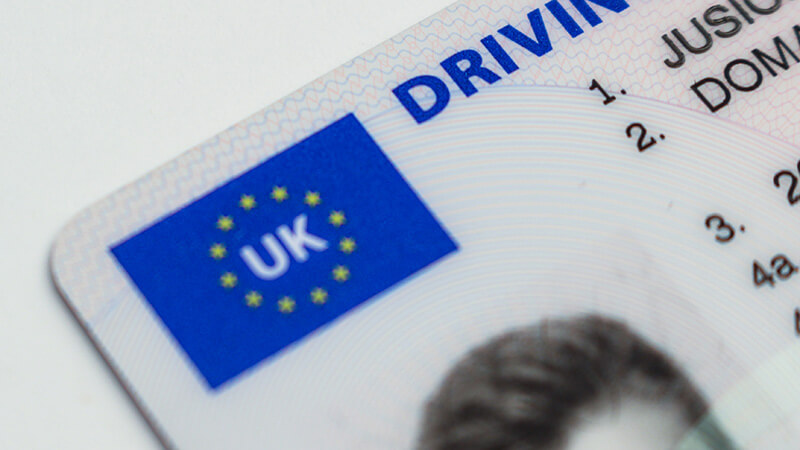
- How to check: use GOV.UK’s “View or share your driving licence information” service. You’ll need your licence number, National Insurance number, and the postcode on your licence. The result shows your permitted vehicle categories, licence status, any endorsements or points, and expiry dates, effectively everything the old paper counterpart used to show, and more.
- Check codes for car hire: the same service generates a one-time check code valid for 21 days, which you give to a rental company so they can verify your record without seeing your full licence. Generate it shortly before pickup, since it expires after 21 days, and the same page lets you save or print a PDF summary if a company prefers that instead.
- Verify your details: while you’re in there, check your name, address, and licence expiry match reality. Photocard licences need renewing every 10 years, and an out of date address on your licence can technically carry a fine up to £1,000 if it leads to missed correspondence.
- Older paper licences: if you still hold a pre photocard paper licence, it remains valid on its own until age 70 or until your details change. The same online service works for checking points on it, though you’ll likely need extra ID, typically a passport, alongside a check code when hiring a car.
- Why bother checking: it’s worth a periodic look, especially after a speed awareness course or any endorsement, to confirm DVLA’s record matches what you expect. Points that should have expired but haven’t been removed can quietly push up insurance costs.
Most points stay on record for four years, though they typically only count towards licence revocation totting up for three. If you spot something that looks wrong, contact DVLA directly to query it.
Other useful checks for UK drivers
Beyond the four core checks, a few other online tools are worth knowing about if you want to avoid fines you didn’t see coming.

- Updating your licence address: you can change your address with DVLA online in a few minutes, free of charge, using your licence number, National Insurance number, and new postcode. An outdated address can lead to a £1,000 fine if it’s ever raised as an issue.
- Dart Charge payments: if you’ve crossed the Dartford Crossing, payment is due by midnight the day after. You can check whether your payment registered via the official Dart Charge account or payment checker using your registration and payment reference. A missed payment risks a Penalty Charge Notice, currently £70, reduced to £35 if paid quickly.
- London’s Low Emission Zone and ULEZ: heavier diesel vehicles, vans, and motorhomes that don’t meet emissions standards can be charged for entering Greater London, now covered borough wide by ULEZ. Check TfL’s vehicle checker before you drive in, since penalties apply per day and can run to £160 for ULEZ or £250 for LEZ.
- Tracing a vehicle’s registered keeper: if you have a genuine reason, such as a car repeatedly blocking your driveway, DVLA can release registered keeper details via a postal V888 form application and a small fee. It’s not instant, and for accidents, your insurer or the police will normally handle this instead.
- Driving abroad: if you’re taking your own car to Europe or hiring one overseas, you’ll typically need your licence, possibly an International Driving Permit if you hold an older paper licence or are travelling further afield, proof of insurance, and your DVLA check code for any rental. Requirements vary by country and do change, so check current rules before you travel rather than relying on what was true last time.
FAQ, common questions on UK driving documents
Use the DVLA’s Check if a vehicle is taxed service on GOV.UK and enter your registration number. It tells you whether the vehicle is taxed, the expiry date, or whether it’s registered SORN. It’s free. If your tax has lapsed, renew it immediately, an untaxed vehicle on the road carries an £80 fine, reduced to £40 if paid promptly, escalating to as much as £2,500 in serious cases.
Use Check MOT status on GOV.UK for a quick expiry date, or Check MOT history for the full record back to 2005. Both need only your registration number. The history shows past pass, fail, and advisory results plus recorded mileage, useful when buying a used car. Driving with an expired MOT, other than to a pre-booked test, risks a £1,000 fine and can invalidate your insurance.
Use the free askMID lookup at askmid.com and enter your registration. A result of Insurance Found confirms cover on the Motor Insurance Database, without showing your insurer’s name or policy details. If it shows as not insured, contact your insurer immediately, this could be an admin delay or a genuine lapse. For checking a third party’s insurance after an accident, the Motor Insurers’ Bureau offers a paid lookup, around £10, once you provide a valid reason.
Use DVLA’s View Driving Licence service on GOV.UK, logging in with your licence number, National Insurance number, and postcode. It shows your permitted vehicle categories, licence expiry date, and any endorsements or points with dates. You can also generate a check code from the same page to share your record with a car hire company or employer.
A check code is a temporary code generated through DVLA’s View Driving Licence service that lets a third party, most commonly a car hire company, verify your driving record without seeing your full licence details. It’s valid for 21 days and works once, so generate it shortly before you need it. Some hire companies accept a printed PDF summary from the same service instead.
Yes. Since 1 April 2025, electric and other zero emission vehicles are no longer exempt from Vehicle Excise Duty. New EVs pay £10 in the first year then the standard rate from year two, while EVs registered between 2017 and 2025 now pay the standard rate too. EVs with a list price over £50,000 also pay the expensive car supplement for five years from the second year of registration.
Most rental companies ask for your driving licence, a DVLA check code generated within the last 21 days, and proof of insurance if you’re bringing your own cover. Older paper licence holders may also need a passport as extra ID, and an International Driving Permit is sometimes required outside Europe. Requirements vary by country, so check the specific rules for your destination before you travel.
Run through these four checks, tax, MOT, insurance, and licence, before any long trip, after switching insurer, or if a car’s been sitting unused for a while. All four official tools are free, take a couple of minutes each, and remove any doubt about whether you’re legal to drive.
Set calendar reminders for your tax and MOT renewal dates rather than relying on memory, and don’t ignore letters from DVLA or your insurer, they’re usually the first sign something needs attention. If you’re planning a trip abroad, also check breakdown cover and travel insurance well ahead of time.
Rules around clean air zones, EV taxation and driving in the EU continue to shift, so check the APH Travel Know How blog for current guidance before you travel, particularly if it’s been a while since your last trip.
This guide reflects rules and figures correct at the time of publication. Fines, charges and government services can change, so always confirm current details on the official GOV.UK or DVSA sites before making decisions or travelling.